





Retail ERP Buyer’s Guide (2026)
Retailers face unique challenges like shifting consumer trends, omnichannel channels, and thin margins.
A retail‑specific ERP system ties front-end and back office processes together (everything from inventory and ordering to sales and financials). For example, when a sale is recorded, the system can instantly update inventory levels and financial records in real time, meaning all parts of the business stay in sync.
Keep scrolling for the key features to look for, and how to choose the right solution for your business.
Retail vs. traditional ERP
Traditional ERP systems (often used in manufacturing) assume stable, predictable inventory and production.
Retailers, however, juggle dynamic factors like seasonal spikes, promotions, thousands of SKUs, and simultaneous online/in‑store sales that require real-time agility (as opposed to it being a nice-to-have).
- Omnichannel support: Retail ERPs are designed to instantly update stock levels across every store, warehouse, and online channel. This prevents situations like selling the last item online when none remain in the warehouse. By contrast, a generic ERP might only update inventory at day’s end, causing oversells or stockouts.
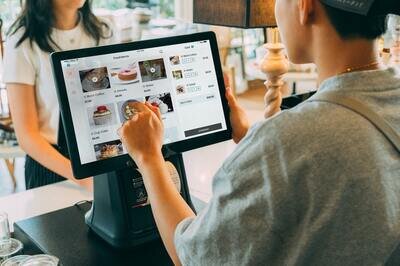
- Point‑of‑Sale (POS) integration: A retail ERP natively connects in‑store POS terminals to back‑office ledgers. This means each in‑store sale (or return) instantly flows into inventory counts and financial reports. Traditional ERPs typically lack built‑in POS modules or need custom interfaces.
- Demand variability: Retailers see fast-moving trends and frequent promotions. Retail ERP usually includes forecasting and replenishment tools that learn from sales patterns (see Inventory Management below). Manufacturers often need stricter production planning, which works differently.
Why retailers need an ERP
Retail is more complex than ever; customers expect to buy anywhere and see the same inventory and pricing everywhere. At the same time, rising costs and supply‑chain disruptions mean retailers must optimize every dollar. Here’s why an ERP helps:
- Unified operations and data: An ERP connects inventory, sales, purchasing, and accounting in one platform, replacing spreadsheets and disconnected systems. With shared data across modules, teams make quick decisions, and updates sync automatically to reduce errors and stay up to date.
- Real-time inventory control: Retail ERP tracks stock in real time across stores and warehouses. It alerts you when inventory is low or sales are surging. In practice, this means you’ll spend less on overstocked inventory and miss fewer sales due to stockouts (in fact, inventory distortion cost retailers an estimated $1.7 trillion globally in 2024). An ERP’s automatic replenishment or reordering rules help prevent these losses.
- Omnichannel efficiency: Retail ERPs streamline orders and inventory across eCommerce, marketplaces, kiosks, and stores. For example, a mobile order for store pickup reserves stock and notifies the right warehouse, simplifying fulfilment and eliminating duplicate tasks.
- Improved customer experience: Faster order processing and accurate stock info lead to happier customers (think personalization, issue resolution etc.).
- Scalability and growth: Expanding to new stores or markets can overwhelm smaller systems. A good retail ERP scales with your business, allowing you to add new locations through simple configurations rather than complex rebuilds.
Retail ERP systems deliver smoother operations and better visibility into every part of the business. With a single source of truth, retailers can make faster, data-driven decisions. For example, identifying best‑selling products instantly or spotting weak inventory levels before customers leave empty‑handed.
Key retail ERP features
- Inventory management: Monitors stock in real-time across all locations, tracks SKUs, manages bundling, and alerts for reorders. Links inventory with sales to auto-generate purchase or production orders when stock is low.
- Order and fulfillment management: Automates order-to-delivery processes, including order entry, picking, shipping, and returns. For example, it checks inventory, assigns stock to the nearest location, and creates pick lists. It can also split and route orders to reduce delays, minimizing errors and speeding up fulfillment.
- Point of Sale (POS) integration: Connect your POS to the ERP in real time. Every transaction (sales, refunds, exchanges) automatically updates inventory, accounts, and ledgers. Two-way integration also syncs promotions and loyalty programs across online and in-store purchases. Plus, reporting is simplified with instant sales data in your dashboards.
- Customer Relationship Management (CRM): The ERP’s CRM module gathers profiles, orders, and support info in one place, enabling personalized recommendations and targeted marketing. It prevents siloed records, avoids redundant offers, and helps staff deliver tailored service to boost loyalty.
- Supply chain and vendor management: Provides visibility into procurement and vendor performance by tracking purchase orders, managing supplier contracts, and logging metrics like delivery times and quality issues. Integrated data enables automated reorder policies, helping retailers maintain optimal stock without over-investing, even during supply chain volatility.
- Financials and reporting: Centralizes accounting, billing, and analytics, combining sales, expenses, payroll, and inventory. It simplifies tax prep, generates financial statements, and offers advanced reporting for insights like product performance and profit margins. Real-time dashboards help managers track trends and act quickly.
- eCommerce and marketplace integrations: Integration with platforms like Shopify and Amazon to sync catalog data, orders, and inventory. Add a product online, and the ERP updates inventory automatically. This seamless connectivity is essential for omnichannel retailers.
- Advanced features (AI and automation): Leading ERP vendors now offer AI-driven analytics for demand forecasting, pricing, and product recommendations, along with automation tools like workflow builders. Predictive analytics can optimize reordering, and automation streamlines tasks like emailing purchase orders or approving discounts. These features provide a competitive edge for larger or fast-growing retailers.
Choose the modules that match your operations. A pure online merchant might prioritize eCommerce and warehouse management, while a multi-store retailer will stress POS integration and inventory planning.
Top retail ERP software vendors
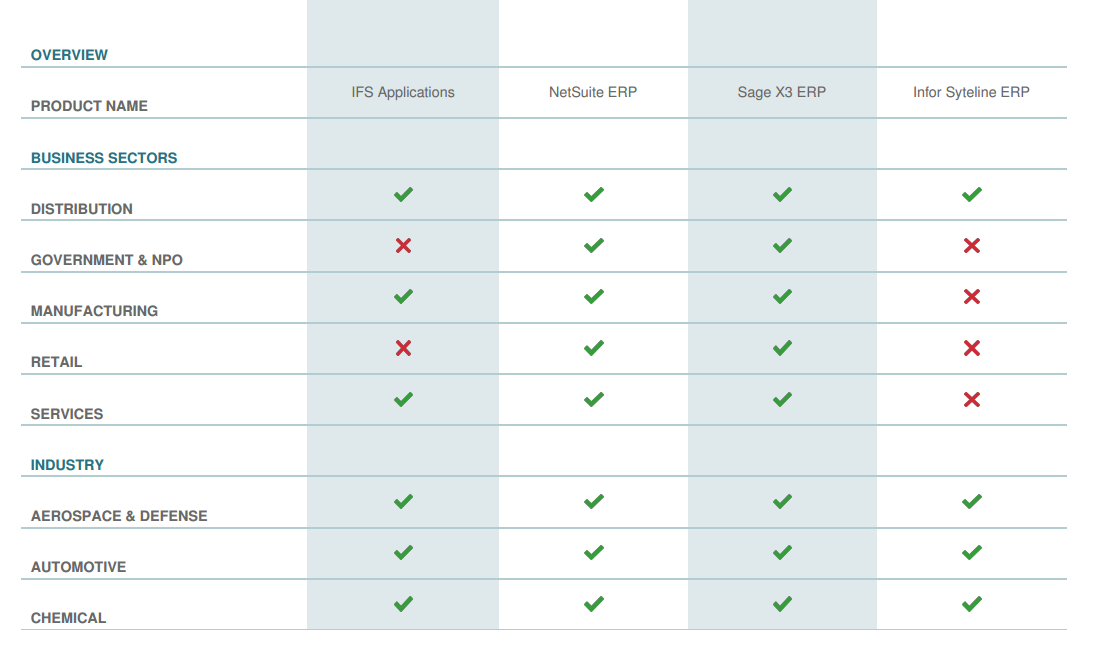
No single ERP is “best” for every retailer. However, certain systems frequently appear in retail ERP selections:
- SAP (Business One or S/4HANA): SAP Business One is an ERP for small to mid-sized retailers, covering financials, inventory, and POS/eCommerce integration. For large enterprises, SAP S/4HANA handles advanced planning and high-volume retail processes. Major chains like Walmart rely on SAP for their core operations because of the scalability and global features, but implementation can be complex.
- Oracle NetSuite: NetSuite ERP is a cloud-based solution that manages inventory, POS, omnichannel sales, and multi-entity operations. It integrates online and in-store data, offering real-time visibility across locations. Ideal for international retailers, it supports global currencies and tax requirements.
- Microsoft Dynamics 365 (Commerce or Business Central): Microsoft offers Dynamics 365 Commerce for large omnichannel retailers and Business Central for SMBs. Dynamics 365 Commerce integrates eCommerce, POS, call centers, and AI-driven features, while Business Central provides inventory, finance, and basic warehousing with Power BI integration. Both offer strong cloud support and familiar Microsoft tools.
- Brightpearl: A retail-focused ERP for omnichannel merchants, offering inventory planning, order management, warehouse operations, and retail accounting. Brightpearl features plug-and-play connectors (Shopify, Amazon, eBay, etc.) for quick online and offline channel syncing. Ideal for small to mid-size retailers, it stands out for its retail-specific tools and automation.
- Acumatica Cloud ERP: A cloud-native ERP for mid-market companies, Acumatica’s Retail-Commerce Edition offers no-code/low-code flexibility, covering financials, CRM, inventory, and strong warehouse management. It integrates with eCommerce platforms like Shopify and BigCommerce and supports multi-entity operations.
- Epicor Prophet 21: Epicor Prophet 21. designed for distributors, is ideal for wholesalers and retailers with complex warehousing needs. It manages multi-warehouse inventory, supply chains, and B2B/B2C sales, offering combined visibility for businesses handling both wholesale and retail.
No matter which system you consider, ensure it provides the modules critical for your operations (for example, strong promotion management if you do lots of sales, or lot/serial tracking for high-value goods). Many of the top retail ERPs can be trialed in guided demos – take advantage of these to see how each handles your key processes.